

In short
Single mode fibre has a core about 9 microns wide, carries one path of light and works over kilometres. Multimode fibre has a 50 micron core, carries many paths and is limited to a few hundred metres at most, but its transceivers cost less. Choose by reach, speed roadmap and whole-life cost, not by habit.
You have a tender on your desk and two contractors have priced different fibre. One has specified OM4 multimode between the comms rooms, the other has gone single mode throughout. Neither has explained why, and the difference will still be in the building in fifteen years.
This guide is for people who have to sign that decision off: project managers, M&E consultants, estates teams and data hall operators. Home broadband questions are a matter for your internet provider, and nothing here applies to a domestic connection.
What is the physical difference?
Both fibre types are glass strands with the same 125 micron cladding, so they look identical on a reel. The difference is the core down the middle, the part that carries the light.
Single mode fibre, defined by ITU-T G.652 and the bend-tolerant G.657 family, has a core of roughly 9 microns. Only one mode, in effect one path of light, can travel down it. Because there is one path, the pulse arrives at the far end in the same shape it left, which is why the reach runs to tens of kilometres before the signal needs help.
Multimode fibre has a 50 micron core (older OM1 used 62.5 microns). Hundreds of paths travel at once, each taking a slightly different route through the glass and arriving at a slightly different time. That spreading, called modal dispersion, is what caps the distance. The ISO/IEC 11801 classes OM3, OM4 and OM5 are successive refinements of how tightly that spreading is controlled.
Reach: the number that decides most projects
The IEEE 802.3 Ethernet standards define how far each speed can run on each fibre type. The exact figures depend on the transceiver variant, but the shape of the picture is settled.
The practical rule: measure the longest route on the drawings, including the vertical rises and the spare length coiled in the containment, then ask what speed the link will be running in ten years, not today. If the answer is over the multimode limit at that future speed, the decision has already been made for you.
Cost: cable versus optics
The cable itself is a small part of any fibre budget. The labour to install it, the containment, the splicing, the testing and the termination dominate, and those cost about the same whichever glass is inside. The drivers are set out in our guide to what shapes the cost of a fibre installation.
The real difference sits in the transceivers at each end. Multimode optics use cheaper vertical-cavity lasers and have historically cost considerably less than their single mode equivalents. Across a data hall with thousands of ports, that gap adds up. Over a campus with a few dozen backbone links, it barely registers against the civils.
Two things have narrowed the gap. Single mode transceiver prices have fallen steadily as hyperscale data centres standardised on them. And a multimode link that has to be re-pulled at the next speed upgrade costs far more than the optics it saved.
Where each type belongs
Inside a data hall
Short runs, dense port counts and a fast upgrade cycle. Multimode still has a place for switch-to-server links under 100 metres. Spine and inter-hall links are now specified single mode almost by default.
Campus and multi-building estates
Runs between buildings routinely pass 500 metres once the real route is measured. Single mode is the safe choice and the one most consultants now write in.
Rail and trackside
Distances are measured in kilometres and the fibre serves signalling, telecoms and CCTV for decades. Single mode, always, with high fibre counts to avoid a second dig.
Industrial and petrochemical sites
Long runs across plant, harsh conditions and a strong preference for not returning. Single mode, often in armoured or loose-tube construction.
Why single mode is winning new builds, and how to migrate
Ten years ago the default inside a building was multimode. That has reversed, for three reasons.
First, speed. Each generation of Ethernet cuts multimode reach further, while single mode reach stays put. A single mode backbone has yet to be made obsolete by a speed increase.
Second, fibre count. High-density single mode cables, including ribbon constructions, put hundreds or thousands of fibres in a duct that once carried a fraction of that. Splicing them efficiently is a specialist job, but the capacity per duct is unmatched.
Third, the handover. Single mode links are tested and certified against ITU-T and IEC methods that every operator and consultant recognises, so acceptance is cleaner. Our guide to reading an OTDR test report covers what that documentation should show.

Migrating a multimode estate
If you own a multimode backbone that is about to hit its reach limit, you have three options in rough order of cost.
Whichever route you take, get every new link tested from both ends and keep the results. Splice quality is what separates a single mode link that meets its budget from one that does not, and our guide to acceptable splice loss sets out the values to look for.
Where a specialist comes in
The fibre type decision is straightforward once the route is measured and the speed roadmap is honest. Where projects go wrong is in the execution: mixing fibre types at a patch panel, terminating single mode with the wrong connector polish, or accepting a link on a summary sheet with no trace behind it.
Core Precision installs and splices both fibre types across data centres, campus estates, rail and industrial sites, and every link is proven with OTDR testing before handover. If you are weighing the two options for a new build or planning a migration, a conversation with fibre optic installation specialists before the tender is issued usually saves a re-pull later.
FAQs
Can single mode and multimode fibre be connected together?
Not usefully. Joining the two creates a large loss at the junction because the core sizes do not match, and the link will not perform. Where a multimode device must talk to a single mode link, a media converter or a mode-conditioning arrangement is used instead of a direct splice.
Is single mode fibre more expensive than multimode?
The cable costs are similar and the installation labour is the same. The difference is in the transceivers, where multimode optics have historically been cheaper. That gap has narrowed, and for links that will be upgraded in speed, single mode is often cheaper over the life of the network.
What is the maximum distance for multimode fibre?
It depends on the speed and the fibre class. At 10 Gb/s, OM3 and OM4 run to a few hundred metres. At 40 and 100 Gb/s using parallel optics the reach drops to roughly 100 to 150 metres. Single mode fibre runs to 10 kilometres or more at all common speeds.
Which fibre type should a new data centre use?
Most new builds specify single mode for spine, inter-hall and backbone links, and keep multimode for short server-to-switch runs where port counts are high and the optics saving matters. Many operators now standardise on single mode throughout to simplify spares and future upgrades.
How can I tell which fibre type is already installed?
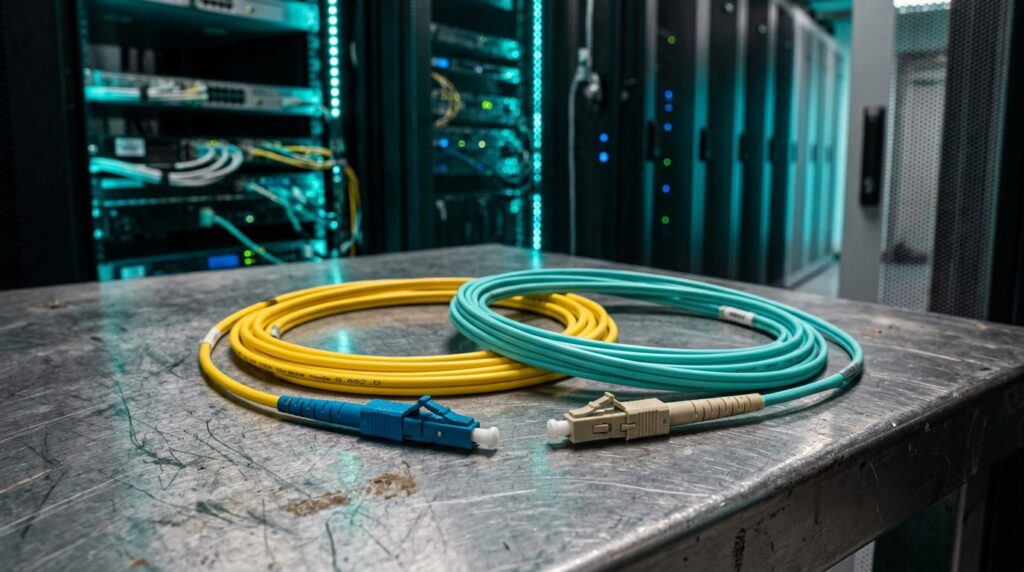
Jacket colour is the first clue: yellow usually indicates single mode, aqua or violet indicates OM3 or OM4, and orange indicates older OM1 or OM2. Confirm with the printed cable legend or, where records are missing, with a test from a specialist who can identify the fibre from its behaviour.
Choosing fibre for a new build?
Send us the route drawings and the speeds you expect to run. We will tell you which fibre type fits, and what it will take to install and certify it.